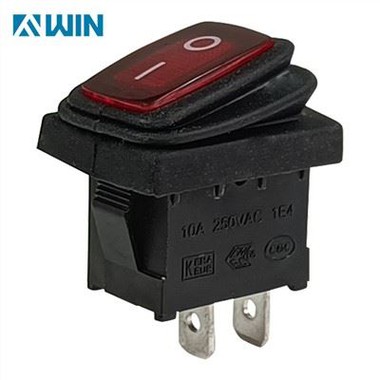
snap-in mounting illuminated pushbuttons for video processor
Nov 12, 2024
Snap-in mounting illuminated pushbuttons are highly regarded components for video processors, providing a robust and efficient control interface that meets the demands of fast-paced, high-stakes environments like broadcasting, security, live events, and corporate AV systems. These pushbuttons are engineered for straightforward installation and removal, enhanced visual feedback, tactile response, and long-term reliability. This article explores the core features, benefits, and applications of snap-in mounting illuminated pushbuttons in video processors, focusing on how they elevate functionality and user experience.
1. Overview of Snap-In Mounting Illuminated Pushbuttons
Snap-in mounting illuminated pushbuttons are switches designed for easy insertion and removal in electronic panels, often without the need for additional tools. This "snap-in" feature streamlines assembly, making them convenient for manufacturers and technicians working on video processors. The illumination, usually provided by LEDs, enhances the interface by offering visual feedback to users, allowing them to quickly identify active sources, error states, and various system functions.
These pushbuttons are particularly valuable in video processing systems, which are used in settings where multiple video feeds, sources, or outputs must be managed efficiently. By combining illumination with tactile feedback, snap-in mounting pushbuttons create a control panel that is both intuitive and reliable, enabling operators to perform complex tasks with speed and accuracy.
2. Advantages of Snap-In Mounting Mechanism
The snap-in mounting design offers several benefits, especially in professional video processing environments:
Ease of Installation and Replacement: Snap-in mounting illuminated pushbuttons do not require screws or brackets, simplifying the assembly process. This allows technicians to install or replace switches quickly, reducing setup and maintenance time. For video processors in high-use environments, minimizing downtime for repairs is essential, and the snap-in design facilitates this.
Cost-Effective Assembly: Snap-in mounting eliminates the need for specialized mounting tools or hardware, which can reduce overall production costs. This cost efficiency is beneficial for video processor manufacturers, as it allows them to provide reliable interfaces without inflating product prices.
Enhanced Panel Stability: Despite their easy installation, snap-in mounting pushbuttons are designed to stay securely in place once installed. They lock firmly into the panel, providing stability during repeated use. This stability is critical in high-traffic applications, where operators frequently interact with controls.
3. Illumination for Enhanced Visual Feedback
Illumination is a key feature of these pushbuttons, helping operators quickly interpret the status and function of each button on a video processor control panel.
Clear Status Indicators: LED illumination provides clear, immediate visual feedback, indicating which buttons are active, standby, or in an error state. In video processors where quick, accurate routing is essential, this feedback helps operators avoid mistakes.
Color-Coding Options: Many snap-in illuminated pushbuttons are available with multi-color LEDs, allowing color coding for various system functions. For example, green could indicate an active source, red could signal a busy or error state, and blue could represent standby. This use of colors helps operators identify system statuses at a glance.
Brightness Control: LED brightness in these pushbuttons can be optimized to suit different environments, from darkened control rooms to brightly lit studios. Many advanced models allow for brightness adjustment, making them adaptable to the lighting needs of specific applications.
Alerts and Notifications: Video processors in mission-critical environments often connect to alert systems. Illuminated pushbuttons can flash or change color in response to specific alerts, drawing immediate attention to urgent issues such as network connectivity loss or system overload.
4. Tactile Feedback and Operator Assurance
In video processing applications, tactile feedback is crucial for an effective interface, and snap-in mounting illuminated pushbuttons deliver this through a responsive, "click" feel.
Precision in Command Execution: The tactile response of these buttons allows operators to feel a definitive click, reassuring them that the command has been executed. This tactile feedback is especially valuable in settings where operators need to manage several controls quickly and confidently.
Reduced Error Potential: The combination of visual and tactile feedback minimizes the chances of accidental presses, reducing operational errors. In video processors, where incorrect routing or switching can disrupt workflows, tactile feedback helps users avoid misoperations.
Consistency Across High-Use Applications: Snap-in illuminated pushbuttons are engineered for durability, ensuring that they maintain their tactile feedback even after extensive use. The durability of these switches is important in environments like broadcast studios, where control panels are used repeatedly over long periods.
5. Enhanced Workflow Efficiency
In high-stakes video processing applications, efficiency is essential, and snap-in mounting illuminated pushbuttons contribute to smoother workflows by simplifying the interface and making it easier to manage complex systems.
Quick Access to Core Functions: Snap-in illuminated pushbuttons provide direct access to essential video processing functions, reducing the need to navigate through software menus. With dedicated buttons for specific tasks, operators can complete actions instantly, speeding up their response times.
Streamlined Multi-Source Navigation: In environments with multiple video sources or feeds, these buttons enable easy switching between inputs or outputs. The ability to press a single, illuminated button to make a change significantly enhances user efficiency, especially in real-time video production or live event settings.
Reduced Training Time for New Users: The clear labeling and feedback provided by snap-in illuminated pushbuttons make the interface easier to learn, reducing training time for new operators. Even those unfamiliar with the system can understand functions more quickly, enabling faster onboarding.